
What sinks most four-day hackathon projects is not the code. It is picking something too broad to finish, discovering that on day three, and shipping a demo that shows an idea rather than a working thing.
Toggle Wars has a sharper version of that problem built into the brief. You are asked to build with Flagsmith and use Experimentation to find out which version of your thing works better, and an experiment only works if the question is narrow enough to settle. "Does our onboarding work" cannot be answered by Sunday, whereas "does a three-step wizard get more completed signups than one long form" can.
So here is the setup that gets you to a running experiment with real numbers in it, followed by a pile of ideas that are already scoped small enough.
What you are actually building
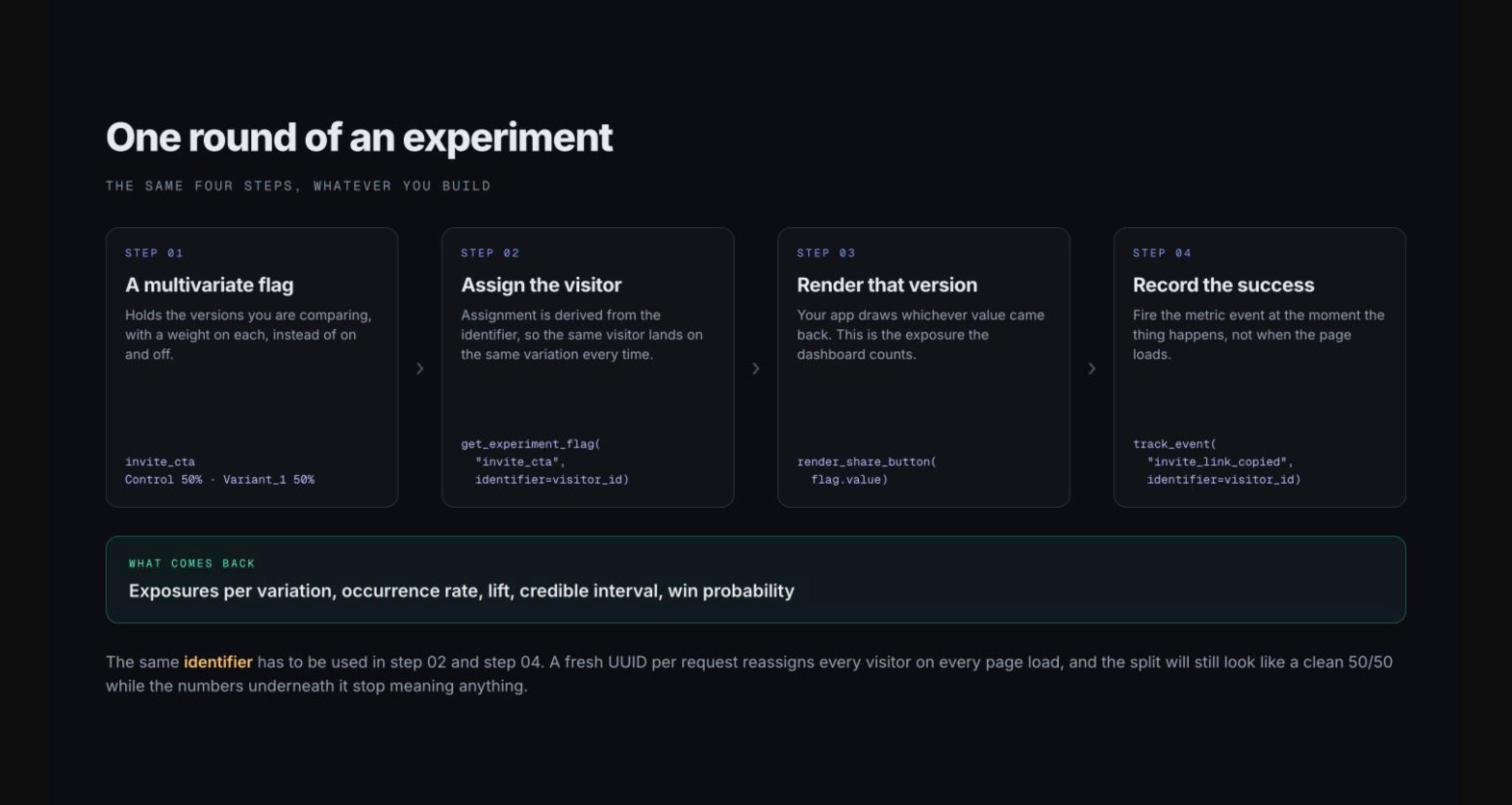
Whatever your project is, that loop sits underneath it, and the four steps are the same every time. Most of the setup below is just getting those four working once so that day one of the hackathon starts with your idea rather than a signup form.
Get a working experiment before the 26th
This takes about an hour, and most of that hour is waiting for traffic.
1. Project, environments, keys
Start free on Flagsmith Cloud, or self-host if you are heading for Track 03. Either way you get a Development environment with its own keys under SDK Keys, and there are two kinds of key that are not interchangeable.
- The client-side key is safe to ship in a browser or mobile bundle, and it is used for remote evaluation where the Flagsmith API does the work.
- The server-side key is secret, and it is what you need for local evaluation where the SDK holds the whole environment and evaluates in-process.
For a hackathon backend, local evaluation is usually the better default, because no flag check costs you a network call and your demo does not get slower every time you add one.
from flagsmith import Flagsmith

flagsmith = Flagsmith(
    environment_key="YOUR_SERVER_SIDE_KEY",
    enable_local_evaluation=True,
    environment_refresh_interval_seconds=15,
)
That interval is how often the SDK polls for configuration changes, and it defaults to 60 seconds. Turning it down to 15 means a flag you flip in the dashboard shows up in your demo quickly enough that you are not standing there explaining the delay to a judge.
2. Read one flag and watch it change
flags = flagsmith.get_environment_flags()

if flags.is_feature_enabled("new_checkout"):
    render_new_checkout()
Flip it in the dashboard, reload, and watch the branch change. Once you have seen that happen once, the rest of this stops feeling abstract.
While you are in there, add the handler for when Flagsmith is unreachable, because you want it in place well before you are demoing over conference wifi.
from flagsmith.models import DefaultFlag

def default_flag_handler(feature_name: str) -> DefaultFlag:
    return DefaultFlag(False, None)
Pass that as default_flag_handler when you construct the client.
3. Make the flag multivariate
Your experiment runs on a multivariate flag, which holds the versions you are comparing with a weight on each rather than a single on and off. Set it up that way from the start, because converting a boolean on day three means every exposure collected before that was recorded against a flag with one value, and none of it is worth anything.
4. Pick the metric and send the event
Choose one event that counts as success, whether that is a click, a sign-up or a file uploaded, and choose it before you collect anything. The Experimentation docs walk through creating the metric and attaching it to the experiment. Changing it halfway through means you are no longer measuring what you set out to measure.
flagsmith = Flagsmith(environment_key="YOUR_ENV_KEY", enable_events=True)

flag = flagsmith.get_experiment_flag("invite_cta", identifier=user_id)
render_button(flag.value)

# later, when they actually do the thing
flagsmith.track_event("invite_link_copied", identifier=user_id)
The identifier is the part teams get wrong most often. Variation assignment is derived from it, so the same user gets the same variation on every request and across sessions, and passing a new random value per request reassigns everybody constantly. The split will look healthy and the results will mean nothing. Use a stable id you already have, and for anonymous visitors generate one once and keep it in a cookie or local storage.
5. Send it traffic, then check it landed
An experiment with twelve exposures tells you nothing, and a surprising number of submissions arrive in exactly that state. Getting a few hundred sessions through a deployed app is a task in its own right, so put it on the plan rather than leaving it to Sunday.
import uuid, requests

for _ in range(500):
    visitor = str(uuid.uuid4())           # one per visitor, stable within the visit
    s = requests.Session()
    s.get(f"{APP_URL}/?v={visitor}")
    if should_convert():                   # your own logic
        s.post(f"{APP_URL}/invite", json={"visitor": visitor})
Then open the experiment and check three things before you trust any of it.
- Both variations are accumulating exposures, roughly in line with the weights you set. Zero on one side means the assignment is not reaching the code that renders.
- Conversions are moving too: If exposures climb while conversions stay flat, your metric event is not firing where you think it is.
- The identifier is stable: Hit the same session twice and confirm you get the same variation both times.
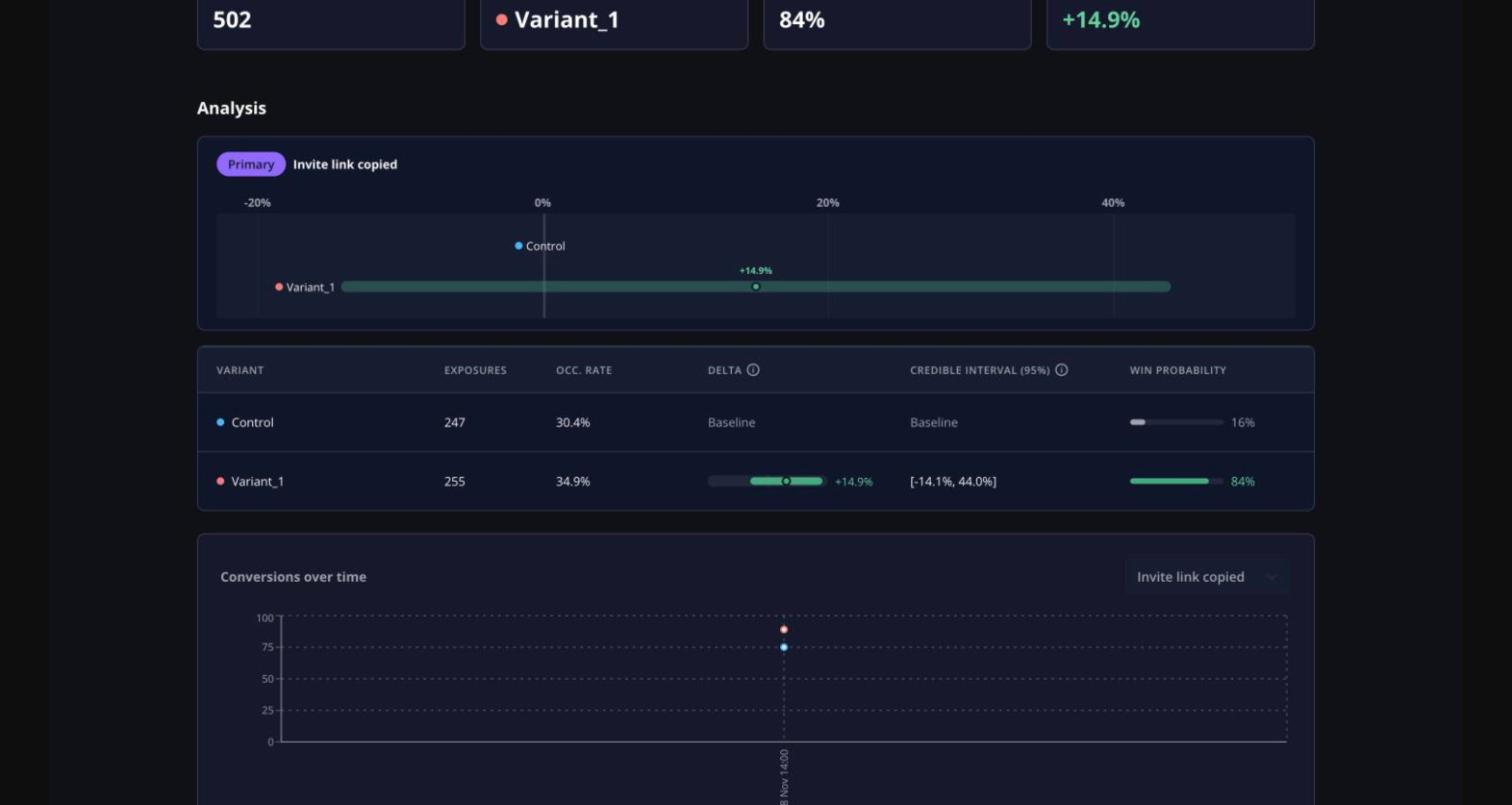
One sanity check is worth doing while nothing is at stake. Run the two variations identical for a while and watch what happens: the win probability still wanders away from 50% and the credible interval sits wide across zero, which is exactly what noise looks like. Recognising that on Sunday is worth the half hour it costs you now.
6. Self-hosting, if you are going for Track 03
curl -o docker-compose.yml https://raw.githubusercontent.com/Flagsmith/flagsmith/main/docker-compose.yml
docker-compose -f docker-compose.yml up
That brings up the whole platform including the dashboard. The compose defaults are not production settings, which is fine for four days, and you point your SDK at your own API with api_url instead of the hosted one.
There is also a setup prompt for coding agents. Paste it into Claude Code or whatever you use and it creates the flag, the metric and the experiment, then wires the code in once you approve it. Read what it did before you build on top, because you will be asked to explain it. The Flagsmith team is in their Discord through the four days.
Track 01 ideas: test something real
This track wants an app with an actual A/B test running on it, and the pattern never changes: two versions behind one flag, one event that counts, results you can explain.
- A pricing page where the headline frames the product two different ways, measured on clicks into the free tier.
- An onboarding flow built as a three-step wizard against one long form, measured on completed signups.
- A docs site where code blocks say "Copy" versus "Copy snippet", measured on copies.
- A product page that leads with the gallery versus one that leads with reviews, measured on add to cart.
- A share or invite button whose wording names the outcome rather than the action, measured on links copied.
- An empty state with two different first prompts, measured on whether the user takes any action at all.
Notice how small each of those is. The build is a day, the instrumentation is an afternoon, and everything else goes on traffic and on being able to explain what came back.
Track 02 ideas: AI agents and feature flags
This track is about tools that drive Flagsmith on your behalf through the CLI, the API or the MCP server, scored on whether they save real time, whether a human approves what they change, and whether their output is clear.
- An agent that reads a pull request and proposes the flag, the variations and the metric that would test it, then opens that for approval instead of creating it silently.
- A Slack or CLI command that turns "test two headlines on the pricing page" into a configured experiment.
- A watcher that monitors running experiments and tells you when an interval has stopped crossing zero, so nobody sits refreshing the dashboard.
- A flag janitor that finds flags fully on for months and opens pull requests deleting the dead branch.
- A rollout assistant that steps a flag from one percent to ten to fifty on a schedule and pauses if your error rate moves.
- A query tool over your own flag and segment configuration, for the moment somebody asks which customers are on the new billing path.
The approval step is not decoration. An agent that changes production flags without a human saying yes is the thing nobody will deploy, and the judges list human approval explicitly.
Track 03 ideas: build on open source Flagsmith
Self-host it and build something around it that other people can reuse, because reusable is what is being scored.
- A flag state dashboard showing one flag across every environment at once, since what you want to know at 2 AM is whether staging and production disagree.
- A starter template with Flagsmith already wired into Next.js, FastAPI or Flutter, with the multivariate and event setup included rather than left as an exercise.
- A log annotator that tags every log line with the variation that user was served, so your traces and your experiment agree with each other.
- An incident timeline integration that drops flag changes into the same feed as your deploys and alerts.
- A local override proxy that lets each browser tab pin itself to a variation, which makes manual QA of a multivariate flag survivable.
- A config diff tool that shows what changed between two environments and generates the change request.
The hackathon itself
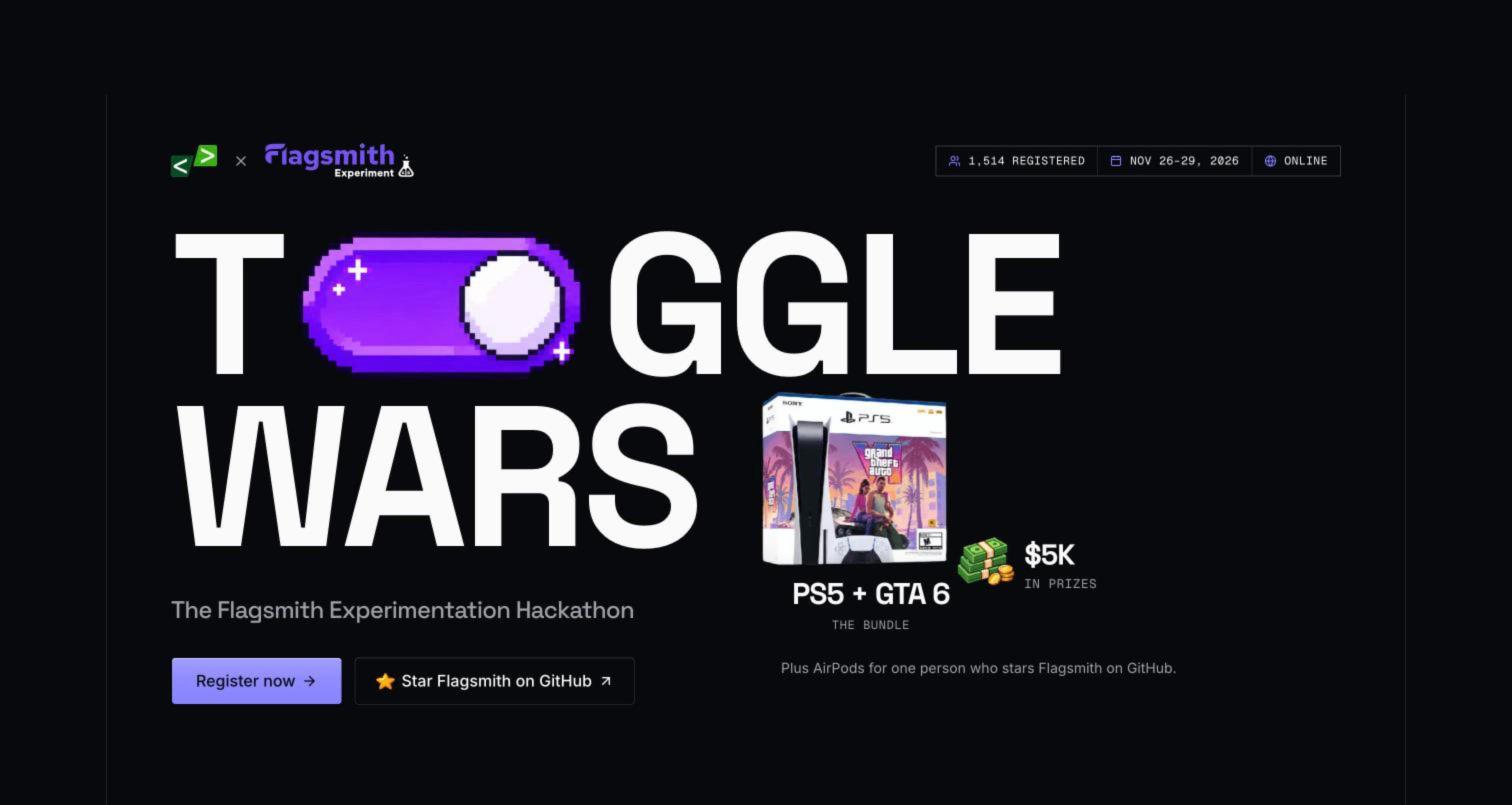
Toggle Wars runs 26 to 29 November, online and free, solo or in a team. Hacking starts at 8 AM IST on Thursday the 26th and submissions close at 8 PM IST on Sunday the 29th.
Track 01 takes $2,000 in cash, Track 02 takes $1,000, and Track 03 takes the PS5 and GTA 6 bundle. One person who stars Flagsmith on GitHub wins a pair of AirPods.
Register on the Toggle Wars page. If you want the whole loop on a real app first, how to run a real A/B test with Flagsmith Experimentation covers it end to end.


